
Your usual text,one tap away.
Email replies, hashtags, AI prompts. Save the text you use often, switch to the ClipTap keyboard in your text field, and tap to insert it.


Up to 50 templates free. No account needed. Add ClipTap to your iOS or Android keyboards.
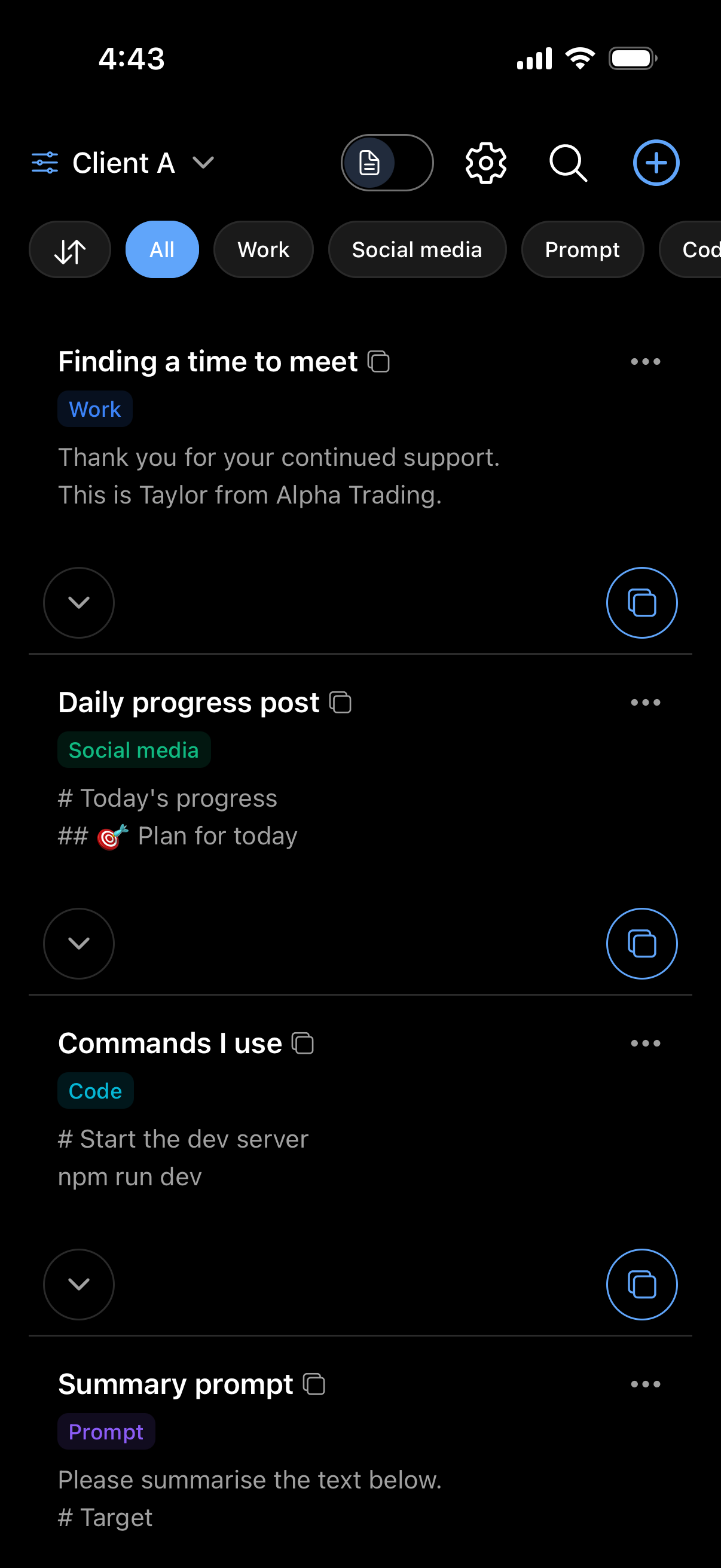
50
Templates, saved for free
Any app
Insert a template from your keyboard
No sign-up
Start without creating an account
On device
Your saved text stays local
Which parts of your day
start with the same text?
Keep the words you search for in old emails and notes ready on your keyboard. Save the parts you repeat, then add what is new today.
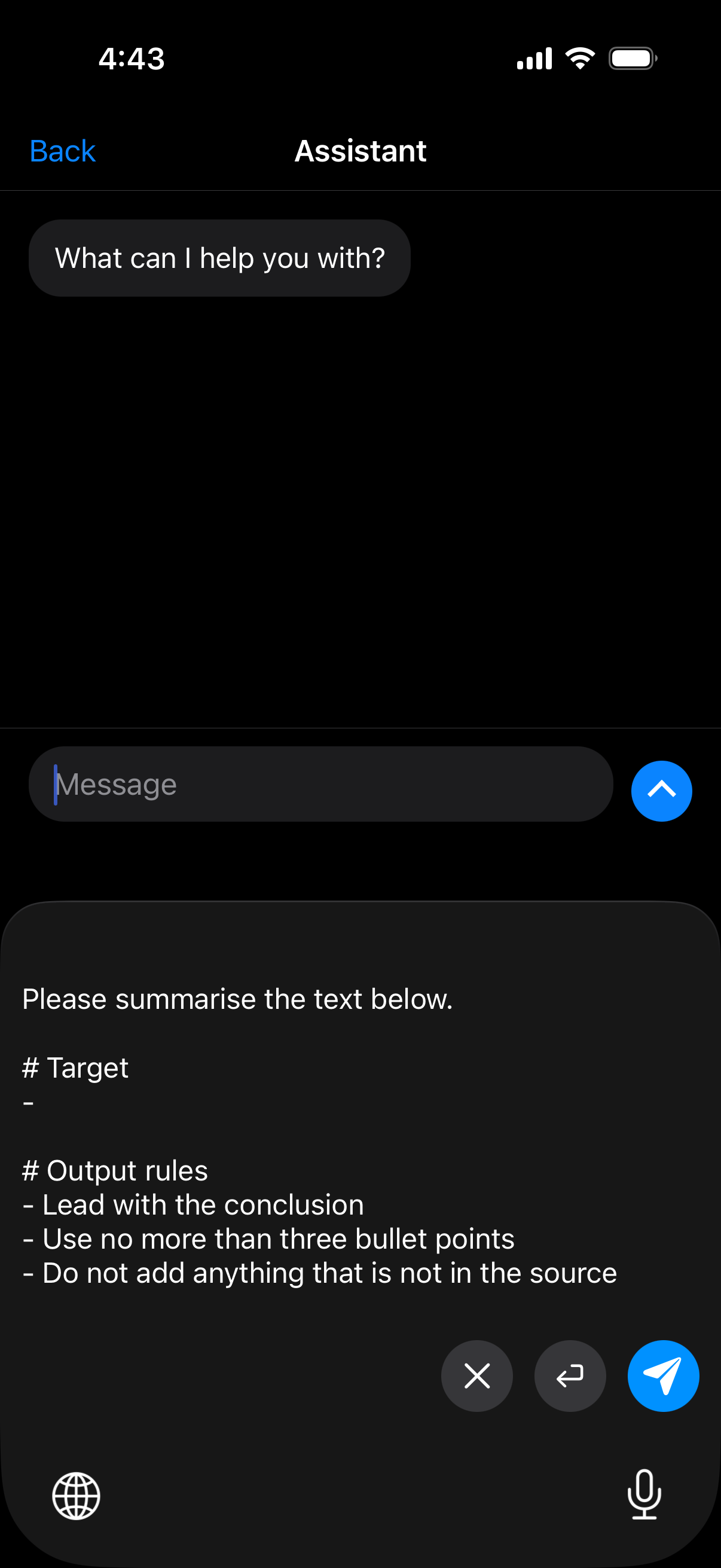
Keep your AI instructions ready.
Summary rules, tone of voice, response format. Save your go-to prompts and insert them into an AI chat, without hunting through past conversations for the instructions you used last time.
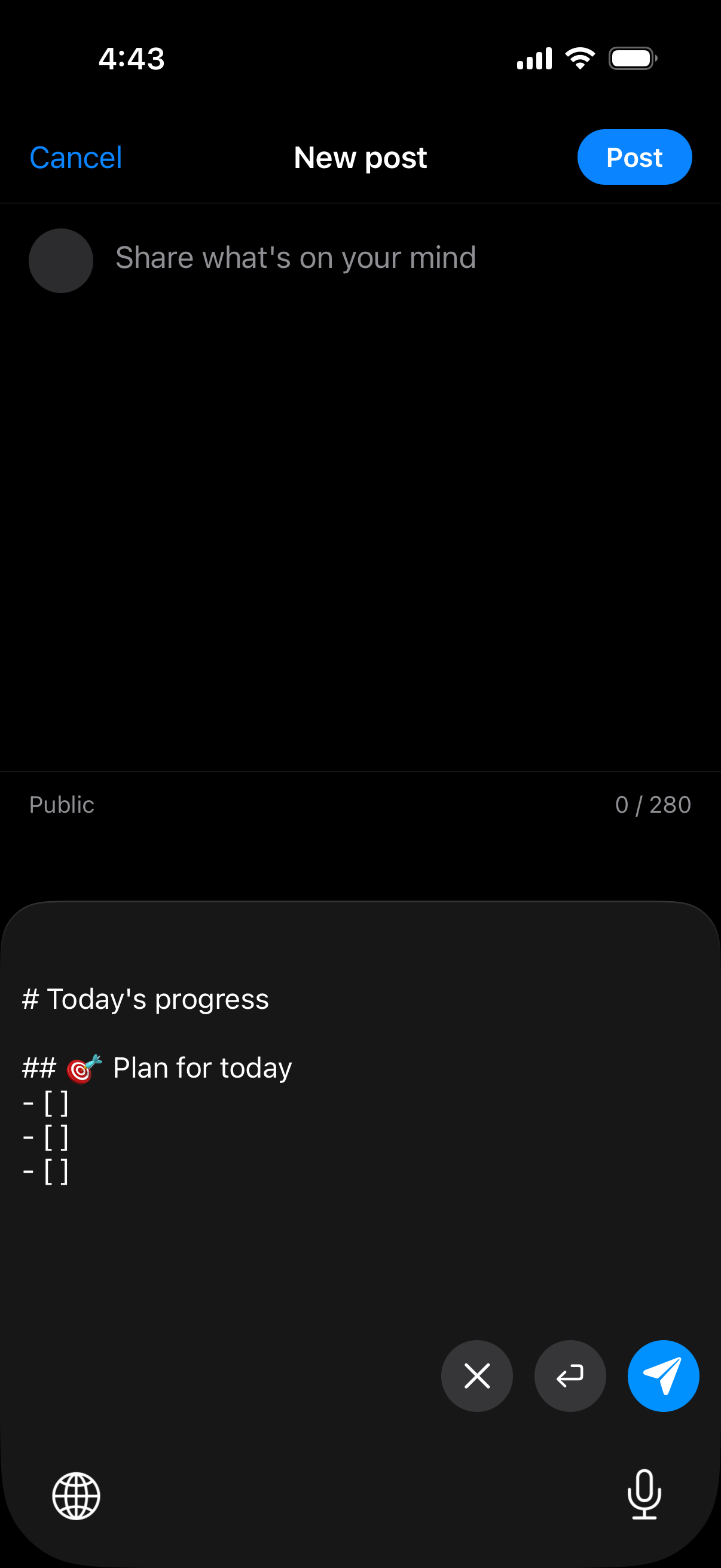
Your post format and tags, together.
Save your update headings and regular hashtags in one template. Insert it into a post, add today’s news, and spend less time setting up the same format.
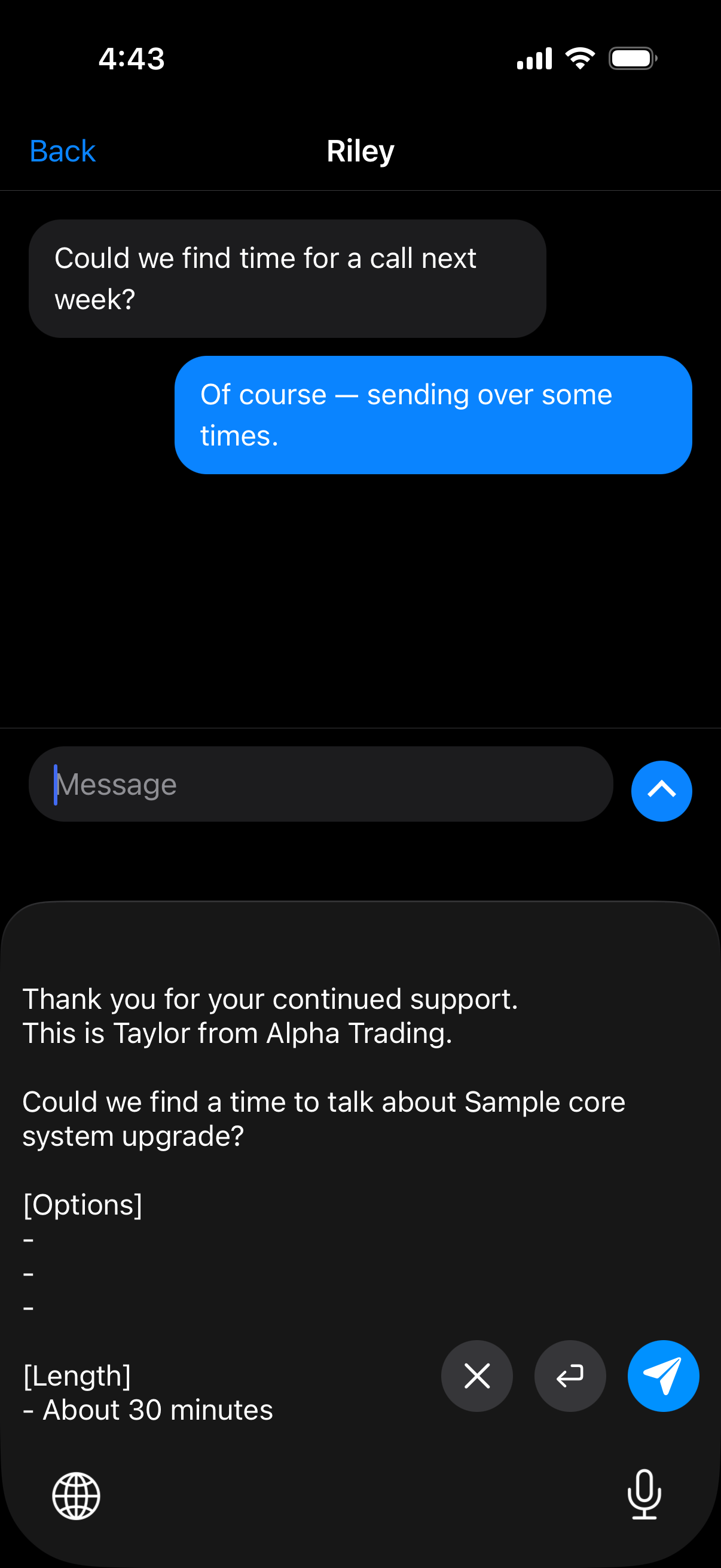
Have your next reply ready.
Scheduling, thank-you notes, sending a document. Save the greeting, message and signature together. Insert the reply into your email, then adjust it for the conversation.
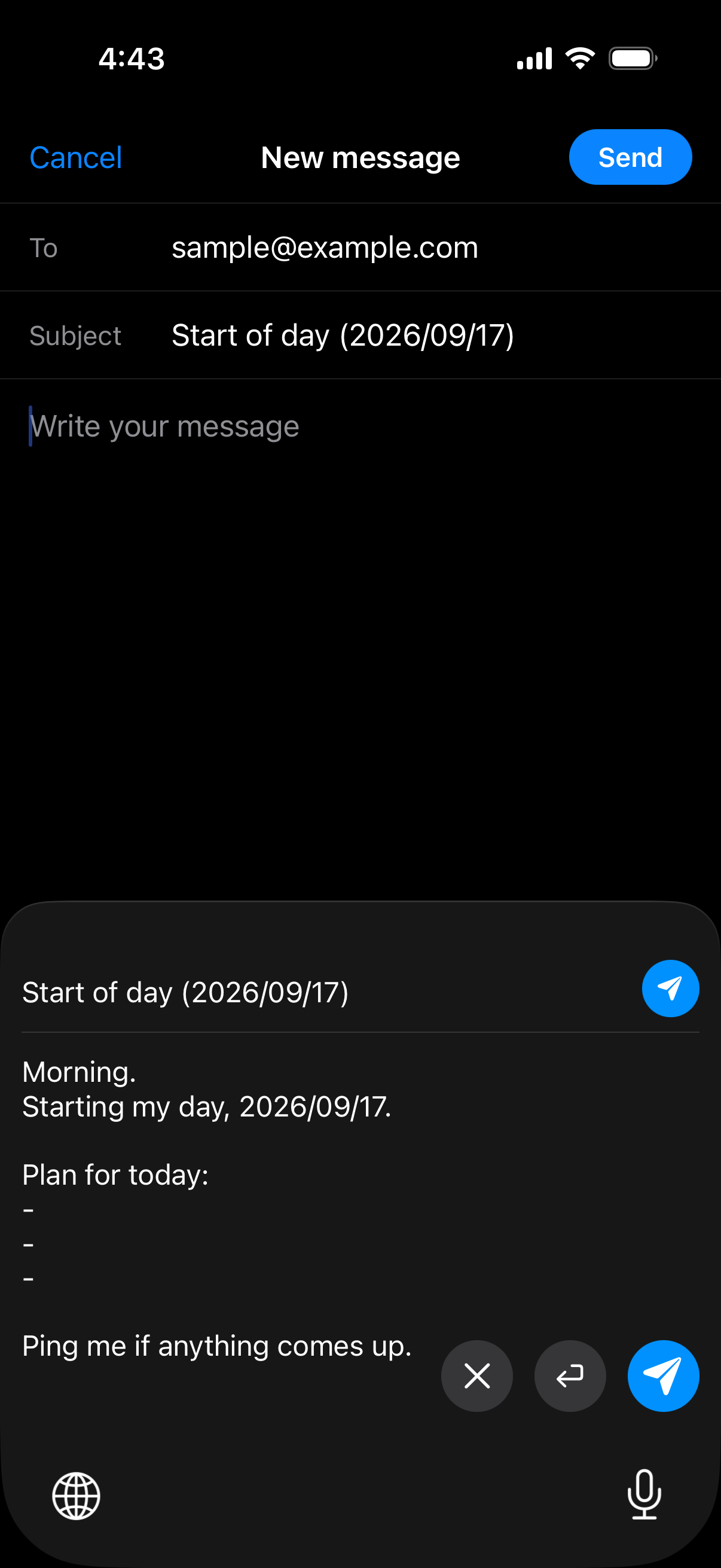
Let the date
update itself.
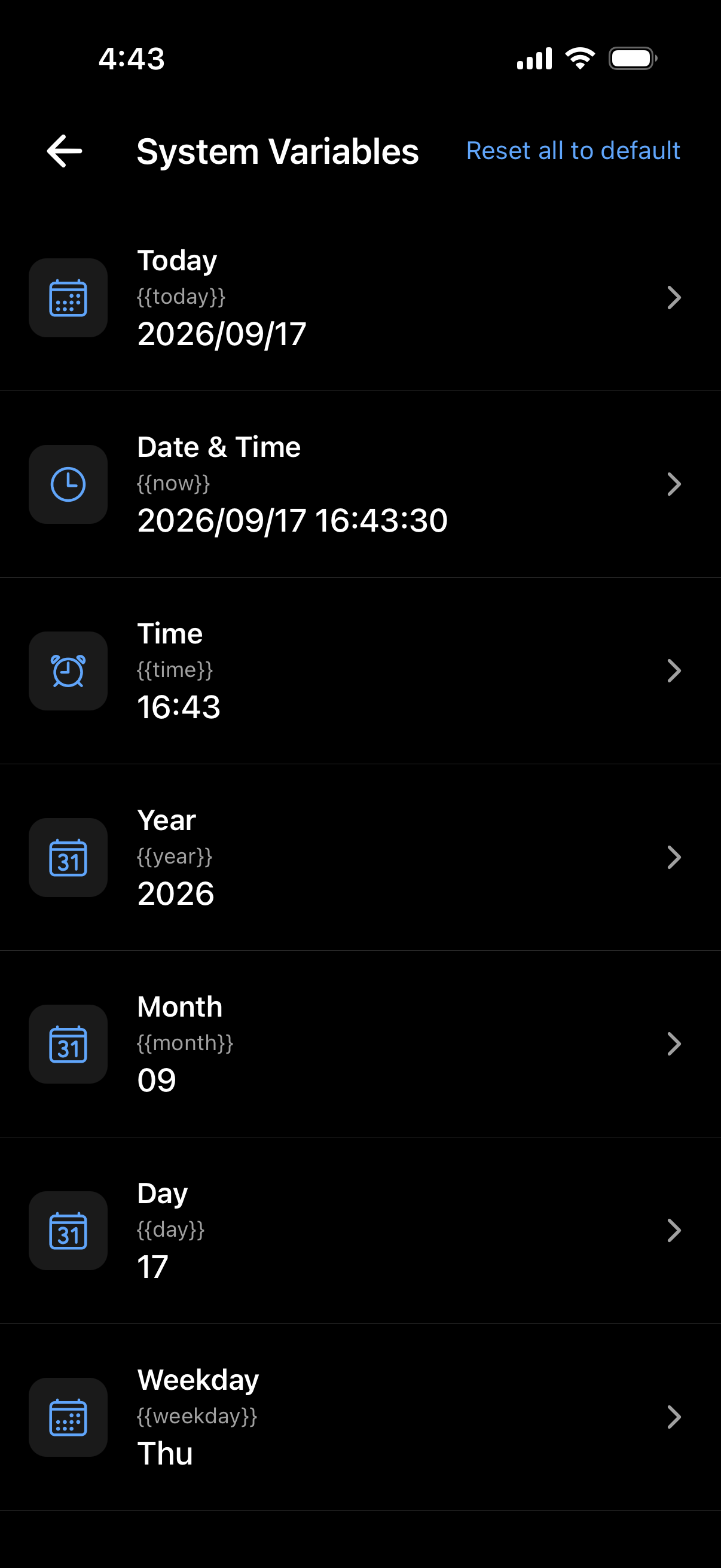
Keep the date in your daily report or work log current each time you insert it. Add a variable to your template and ClipTap fills in the date or time. Choose from 7 variables and 94 formats.
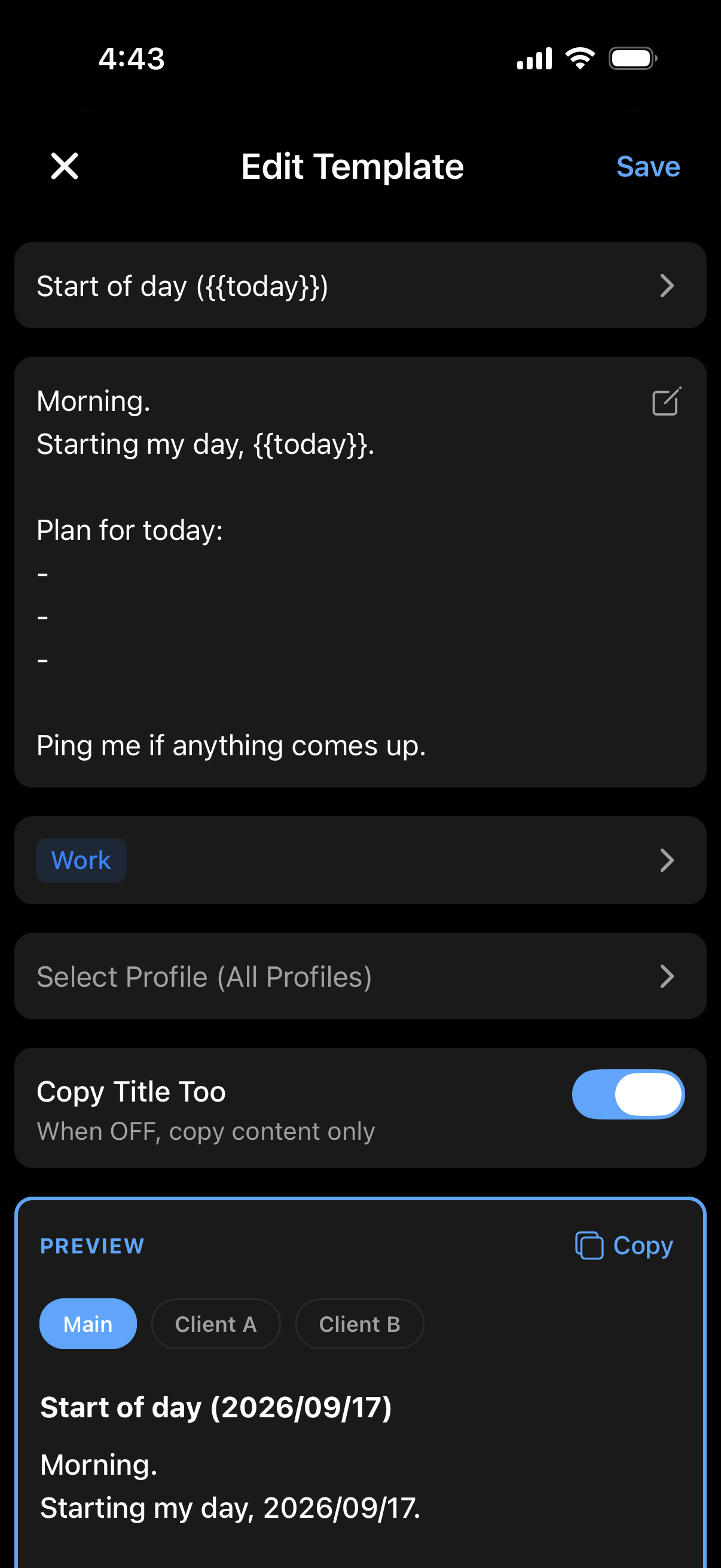
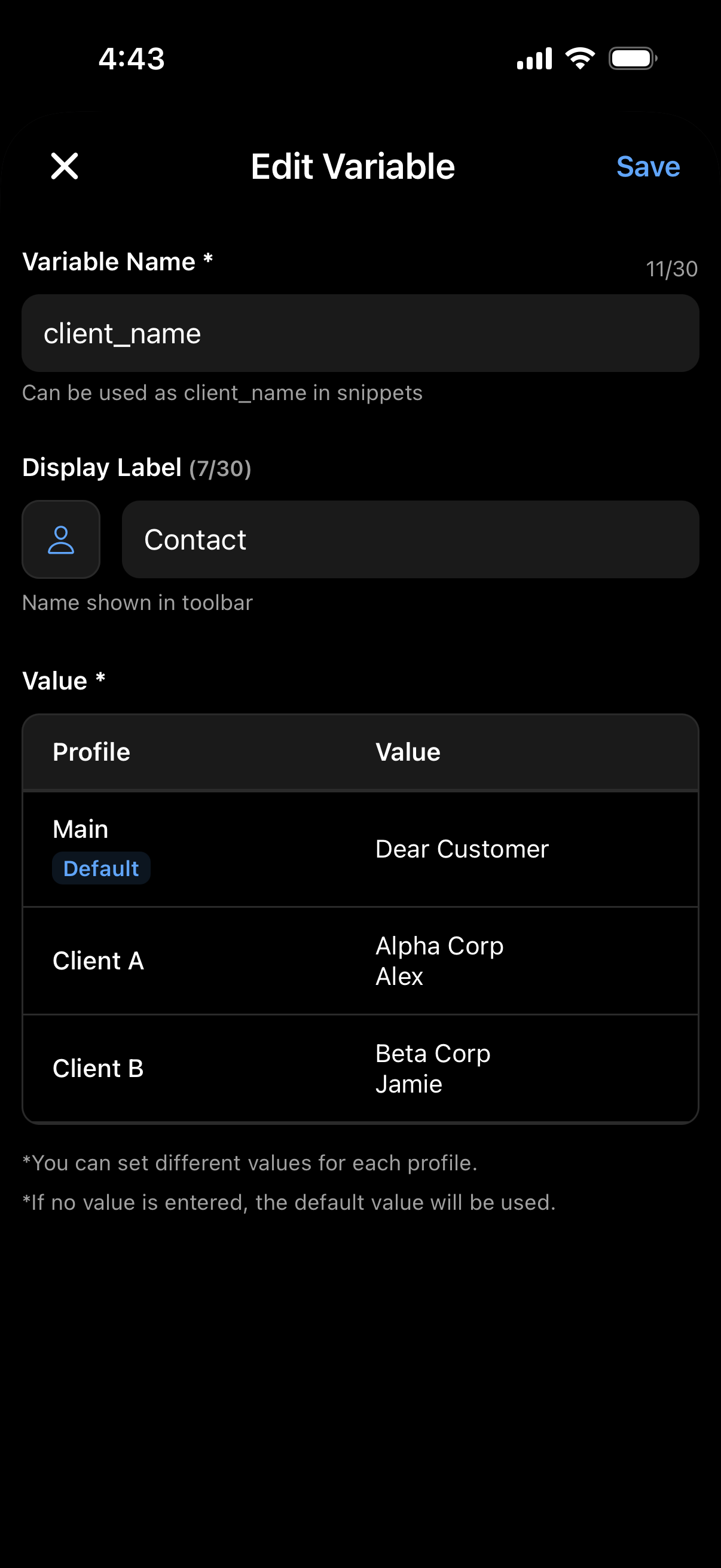
One template.
The right details.
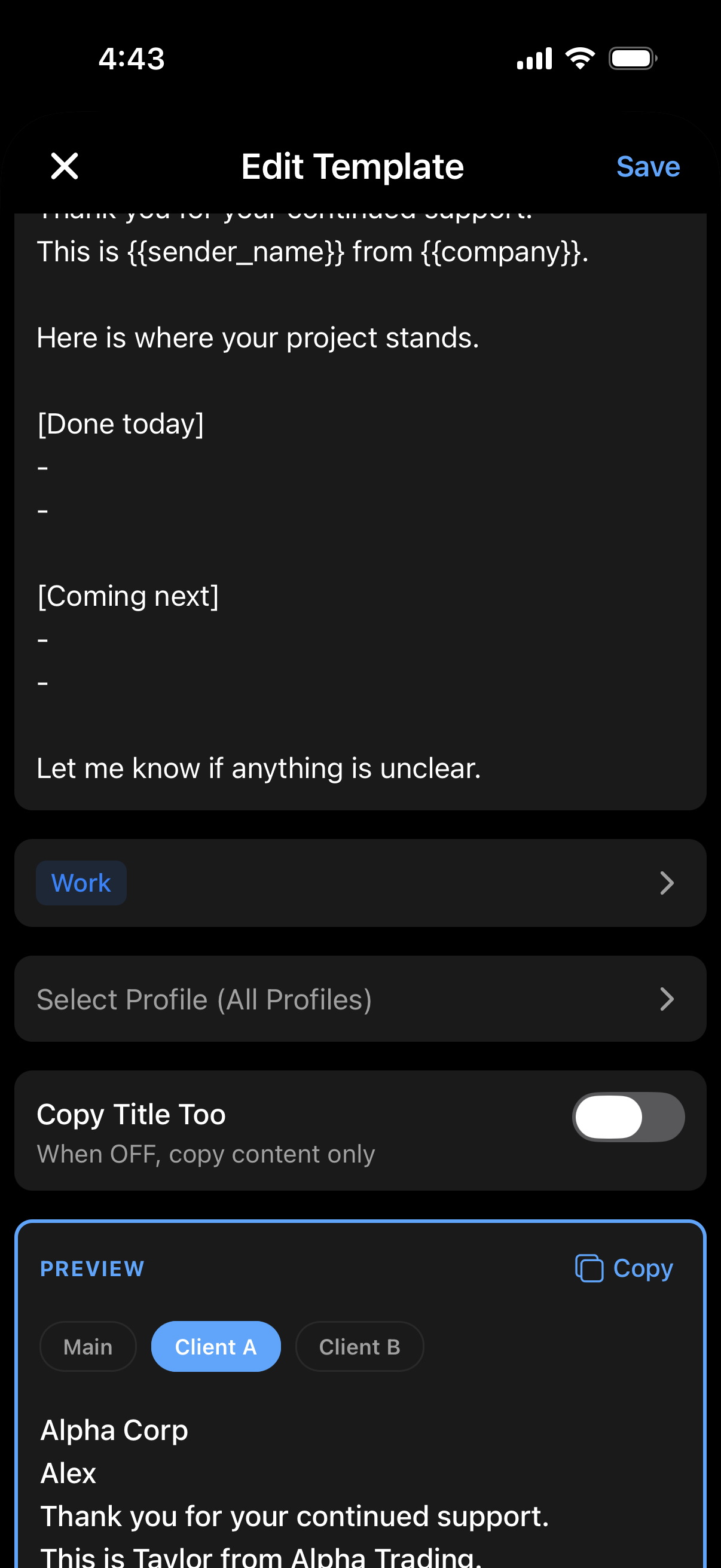
Save company names, contacts and signatures for each client, then use variables in your text. Switch profiles to fill in that client’s details, without keeping a separate copy of the same template for everyone.
Phone and address,
ready to insert.
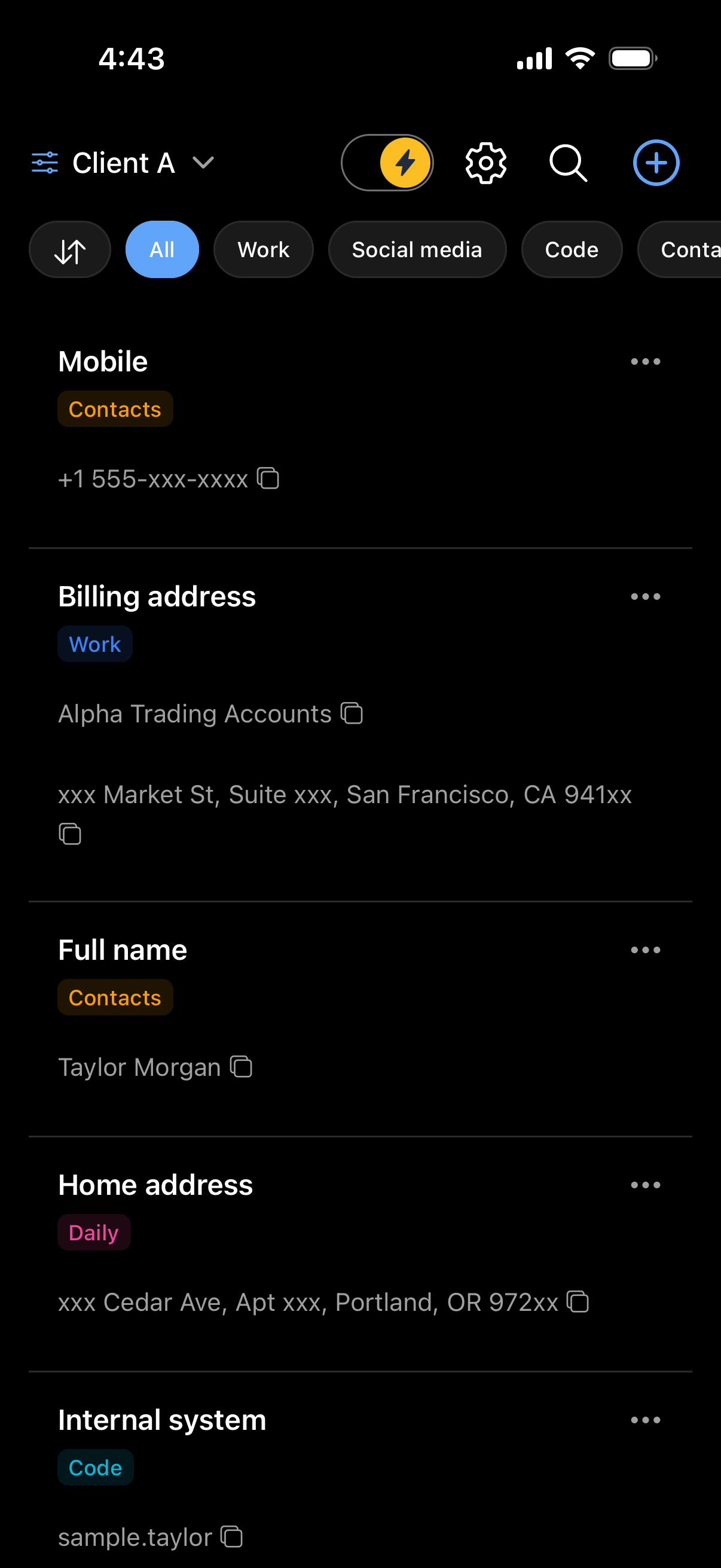
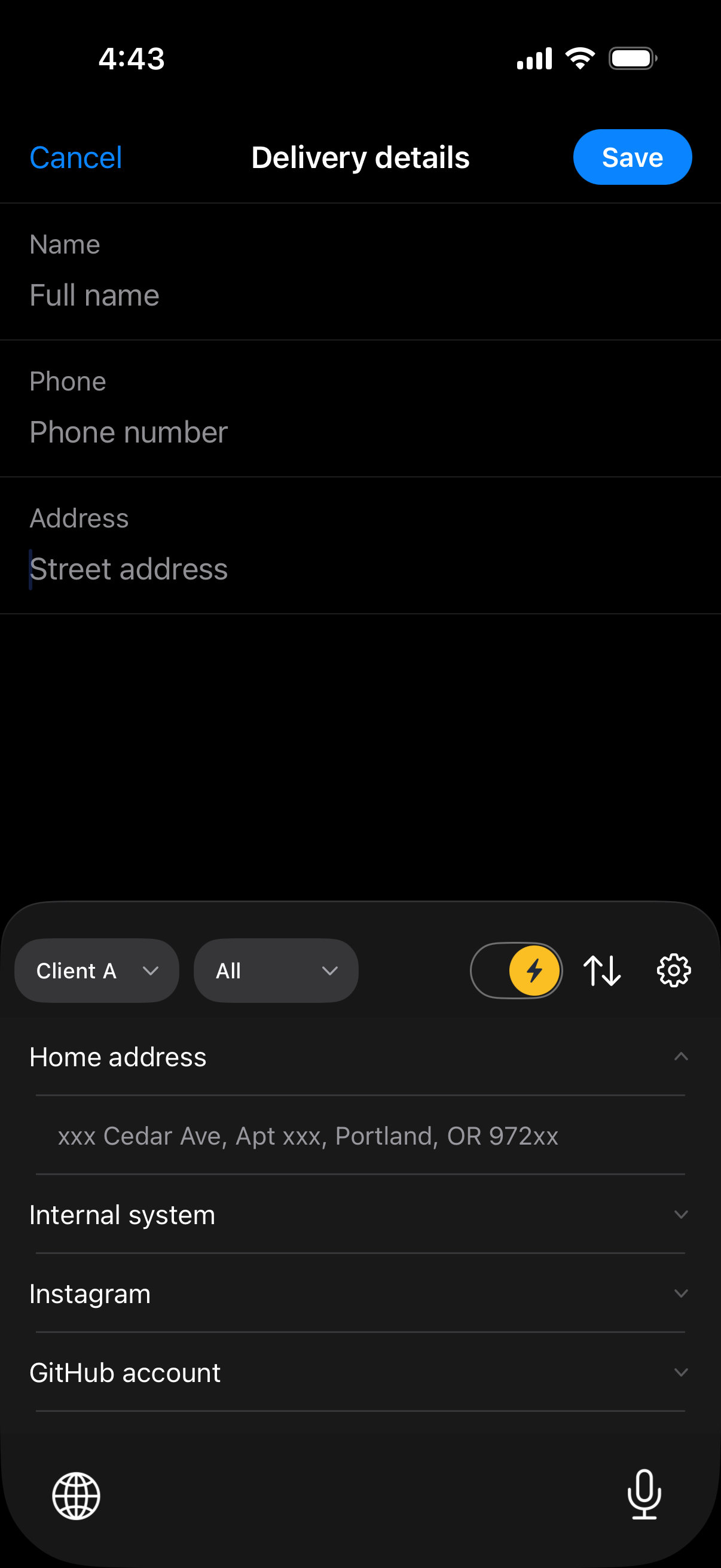
Save the name, phone number and address you enter on forms again and again. Select a field and tap the detail you need on the keyboard. Skip retyping a long address.
Start with one reply you use often.
-
1
Save a template
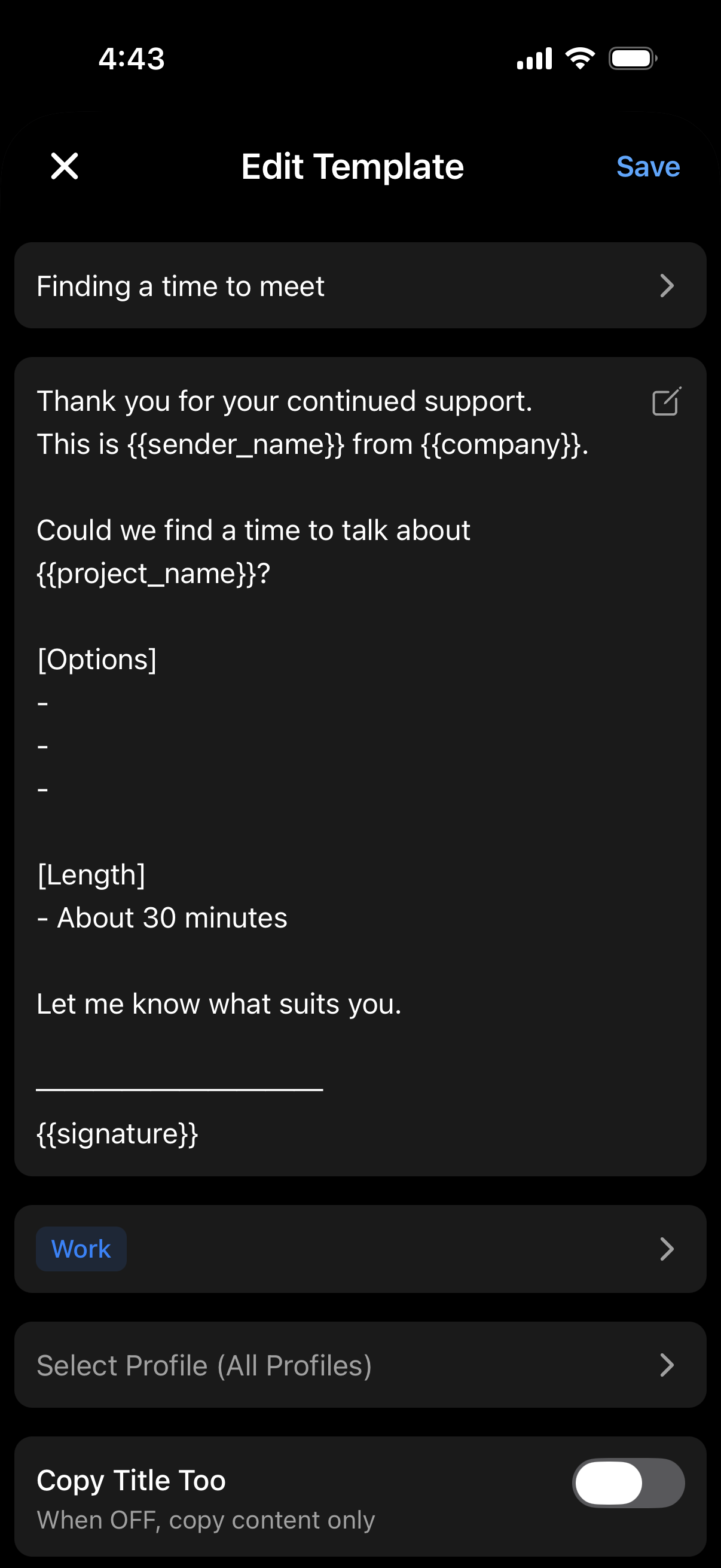
Save a frequent reply or signature with a title and body. Add variables for dates and other details whenever you need them.
-
2
Insert with the keyboard
First, add the ClipTap keyboard in your device settings. Then switch to it in a text field and tap a template. Setup instructions are available in the app.
Make everyday typing easier. For free.
Keyboard insertion and automatic date updates are included in Free. Choose Pro when you need more saved items or want to remove ads.
| Feature | Free | Pro |
|---|---|---|
| Templates | Up to 50 | Unlimited |
| Categories | Unlimited | Unlimited |
| Shortcuts | Up to 50 (5 values each) | Unlimited |
| Profiles | Up to 3 | Unlimited |
| Custom variables | Up to 5 | Unlimited |
| Ads | Yes | No |
Free is $0. Pro is 250 JPY per month (3,000 JPY per year).
Pro removes the limits on templates, shortcuts, profiles and custom variables, and turns off ads. See the FAQ below for what happens when you return to Free.
- Listed prices are base prices. Actual price and currency follow your local App Store / Google Play listing.
- Purchases, restores and cancellations are handled in the mobile app. The web app cannot process purchases.
Frequently asked questions.
How much can I do for free?
Save up to 50 templates, 50 shortcuts (5 values each), 3 profiles and 5 custom variables for free. Keyboard insertion, all 7 system variables and 94 formats are included. Categories are unlimited.
How is a shortcut different from a template?
Templates hold sentences; shortcuts hold values. Save short values such as a name, a phone number or an address, and the keyboard inserts just the value. One shortcut can hold several values, and the list stays open after an insert, which suits filling a form's fields in order. A value can be masked on screen, but that only hides it from view — it is stored the same way as everything else on your device.
Where is my data stored?
Your templates, shortcuts, categories, profiles and variables are stored on your device in the mobile app, or in your browser in the web app. ClipTap does not store or sync that content on its servers.
Does it work offline?
Creating, searching, expanding variables, copying and typing with the keyboard all work offline. Only account linking, Pro entitlement checks, ads and store links need a network. The web app also needs a network to load the page itself.
Do I need to set anything up on iPhone?
You need to add the ClipTap keyboard in Settings. Full Access is required to record usage counts, but inserting text works without it.
Can I type normal text with the ClipTap keyboard?
No. The ClipTap keyboard is built for picking and inserting what you have already saved, so switch back to your usual keyboard to type. Inside it you can filter by category, re-sort four ways, switch profile temporarily and preview. Keyword search, and creating, editing or deleting templates, are done in the app.
Can I insert text with the keyboard on the web app?
No. Keyboard insertion is a feature of the iOS and Android apps. The web app is where you organise, edit and copy your templates and shortcuts in a browser; it starts by loading a .cliptap file, it does not sync with your phone automatically, and you export a file to save your changes.
Can I move my data to a new phone?
Export a .cliptap file and import it on the new device. Passwords are matched and a checksum is verified, but the file contents are not encrypted.
What happens if I cancel Pro?
You keep Pro until the end of the billing period. Profiles and custom variables above the free limits are not deleted — they are just disabled. They come back when you delete others to free up a slot, or when you resubscribe. Templates and shortcuts are never disabled and stay usable even above the free limits — you just can't add new ones beyond the limits.
Make your next replya tap away.
Start with a greeting or signature you use often. Save up to 50 templates for free, with no account needed.